

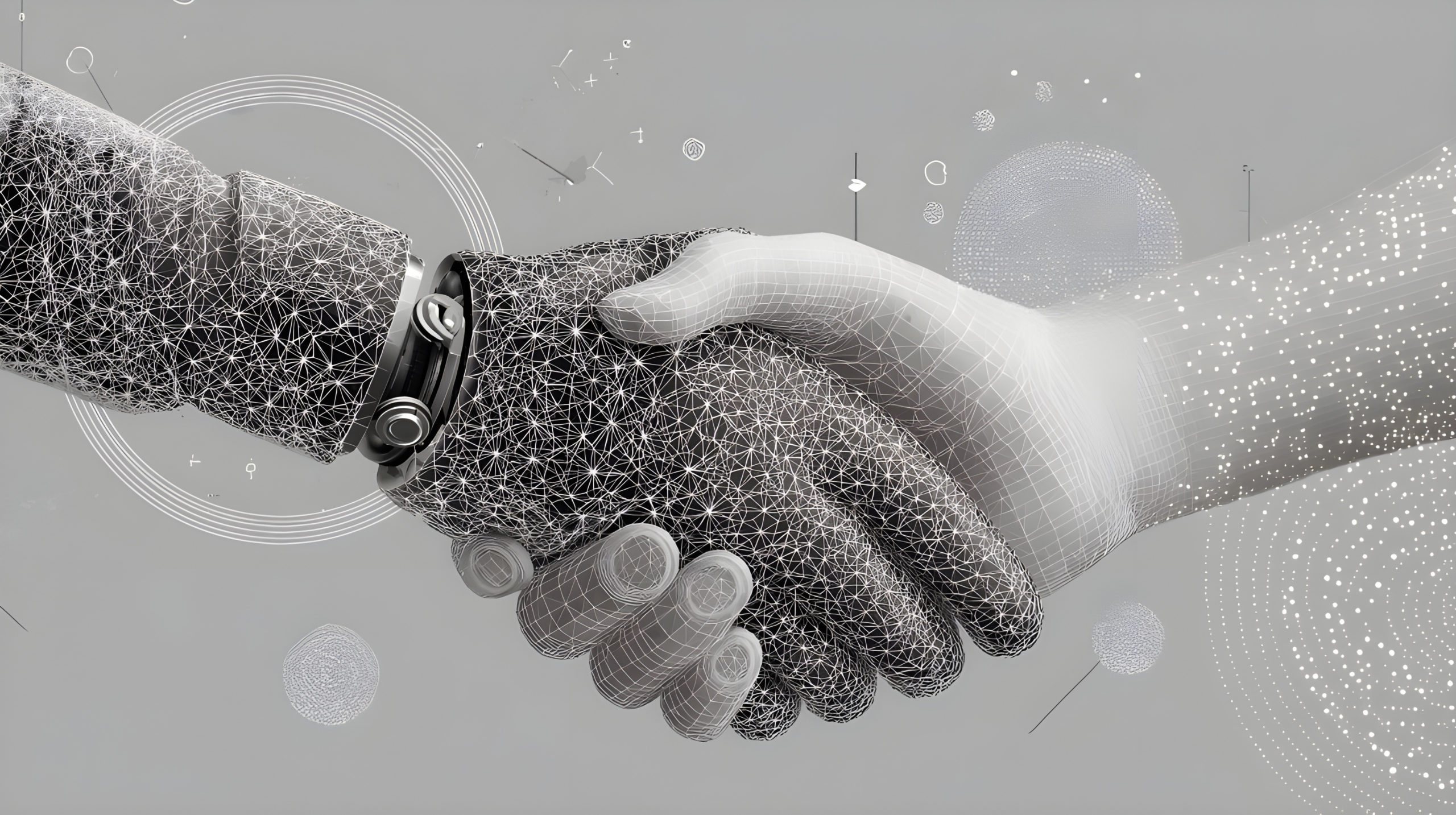
20 Aug AI as a Creative Design Partner
Overview
Generative Artificial Intelligence (AI) is no longer on the sidelines – it’s rapidly reshaped the design industry, unlocking new creative possibilities and challenging long-held ways of working. Key Tech’s Industrial Design Department has been monitoring the landscape and recently conducted a mock project case study to experiment with several programs and determine how they might be utilized within our design process. While it is clear that some tools can provide support during certain phases of product development, they currently lack the capability to deliver ‘final’ design outputs independently. Furthermore, confidentiality and security concerns led to a key output of the mock project being the development of preliminary guidelines for staff to use while generating images with AI.
Case Study:
In a relevant scenario to many start-up clients, we set out to develop a Visual Brand Language (VBL) and the first product for a mock company by designing a digital ‘goniometer’ and the home page of a connected PC app. A goniometer is a common tool used in physical therapy (PT) that measures angles between joints to determine range of motion and therefore track progress. This project followed our typical design process and workflow, augmented by several AI tools:
- ChatGPT and Copilot for research
- Midjourney and Recraft for image generation
- Vizcom for image rendering
- Adobe Firefly for image editing
- Luma for video generation
The evaluation began with researching the environment, user personas, and benchmarking analogous products with ChatGPT and Copilot. A look and feel for the mock brand (named ‘Bridge’) was developed through an iterative process with the designer correcting and refining generated outputs. The final, down selected logo was revised and cleaned up outside of AI platforms in Adobe Illustrator [Figure 1].

Figure 1: AI supplemented work output
Following brand definition, a monochrome wireframe for the home page of a desktop PC graphical user interface (GUI) was manually created [Figure 2]. This draft was fed into Vizcom, which generated graphic enhancements with the specified brand colors [Figure 3]. The final design, inspired by AI suggestions, was polished using the traditional design software Adobe XD [Figure 4].
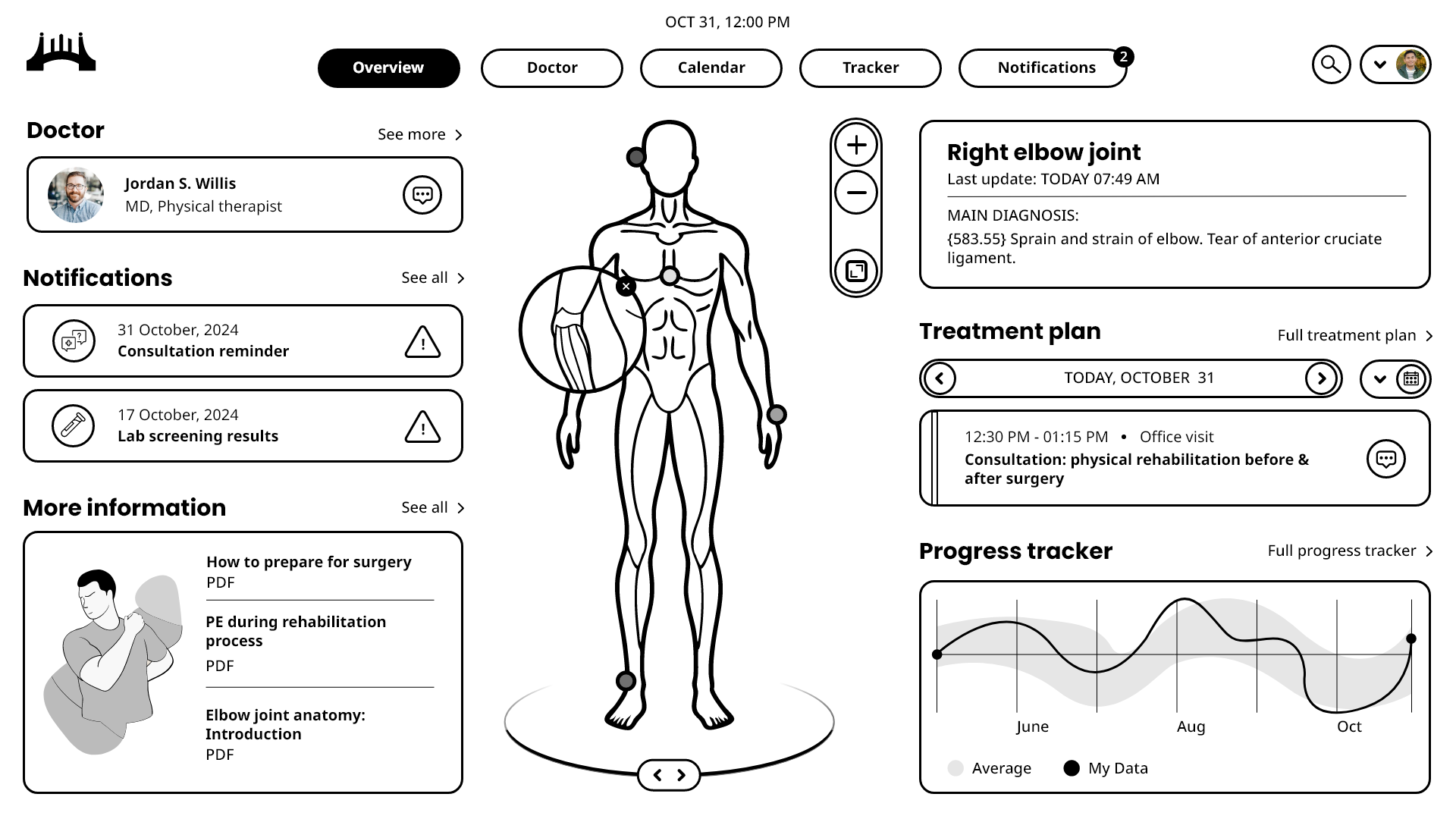
Figure 2: Input wireframe created manually in Adobe XD
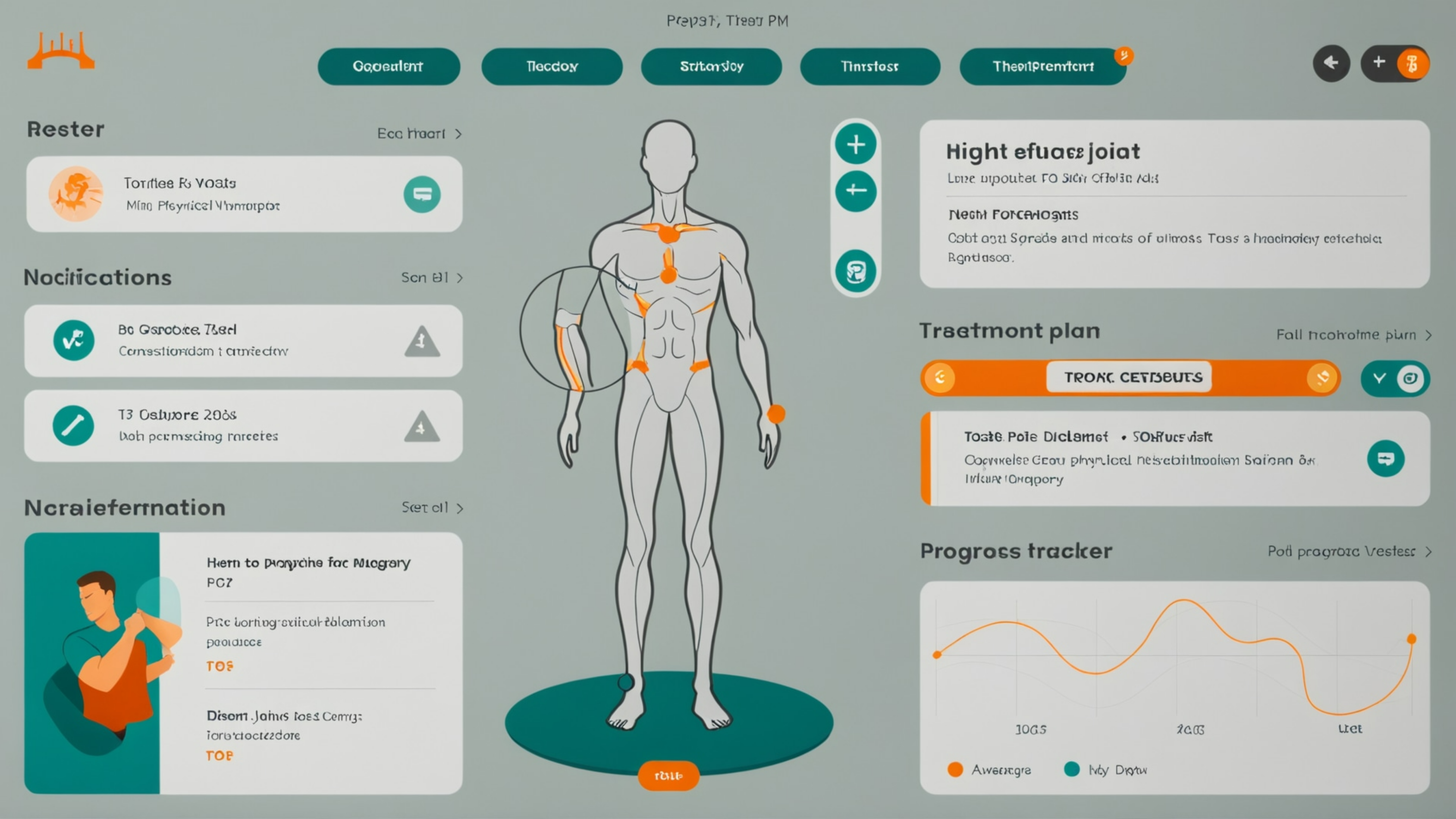
Figure 3: Output Vizcom AI rendering of art direction
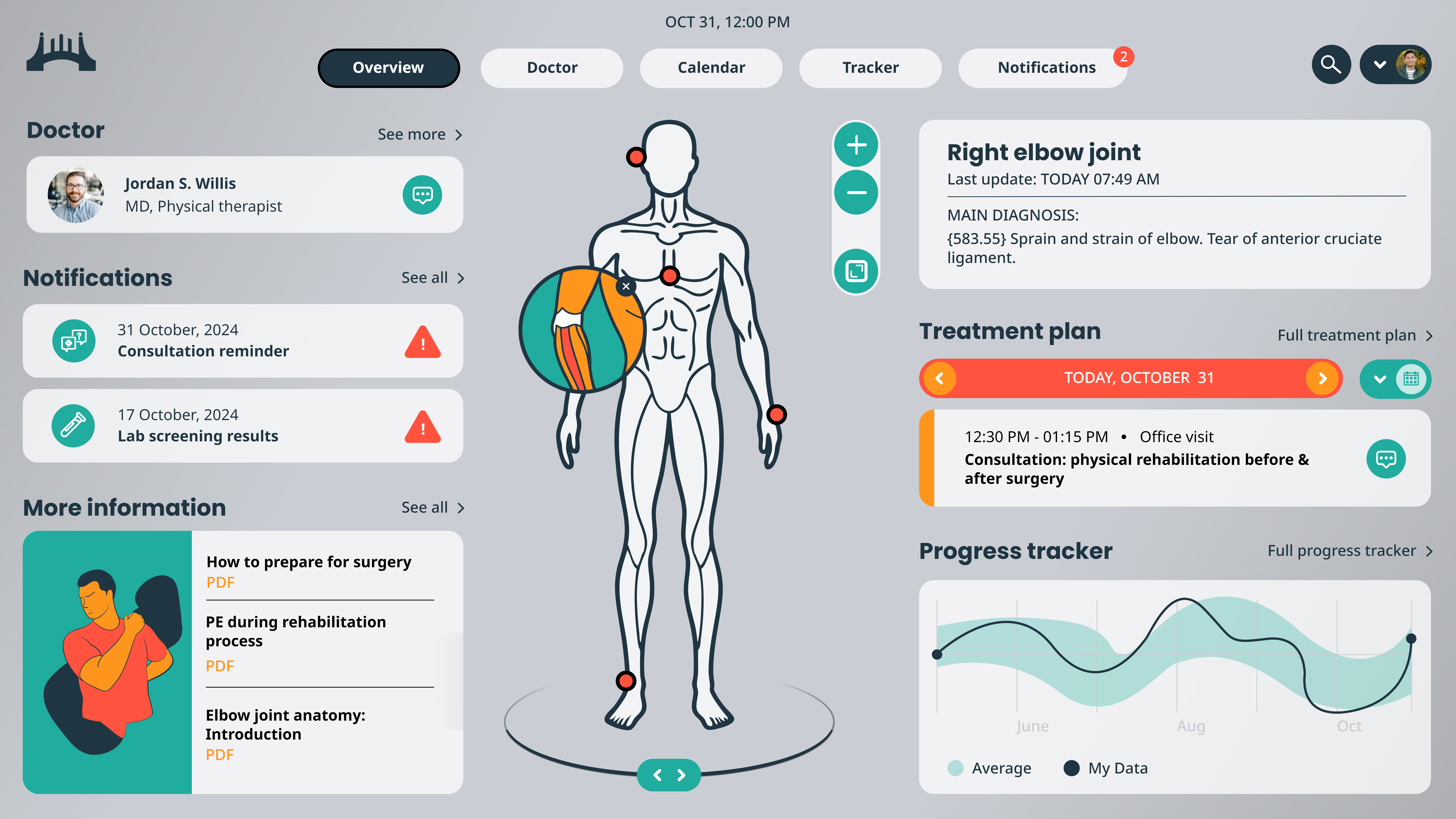
Figure 4: AI-supplemented work output
In parallel, generative AI’s ability to design physical products was evaluated. While a goniometer is a common PT instrument, Midjourney struggled to imagine something outside of what it was trained on. It interpreted initial inputs very literally, failing to generate a digital device that was yet to exist [Figure 5]. This resulted in a lot of ‘handholding’ and prompt-smithing from the designer to arrive at outputs that were useful and fitting for the established VBL. However, intentional ‘collaboration’ and numerous iterations from designer working outside of AI then bringing inputs back to Midjourney and Vizcom eventually resulted in an effective design concept [Figure 6].
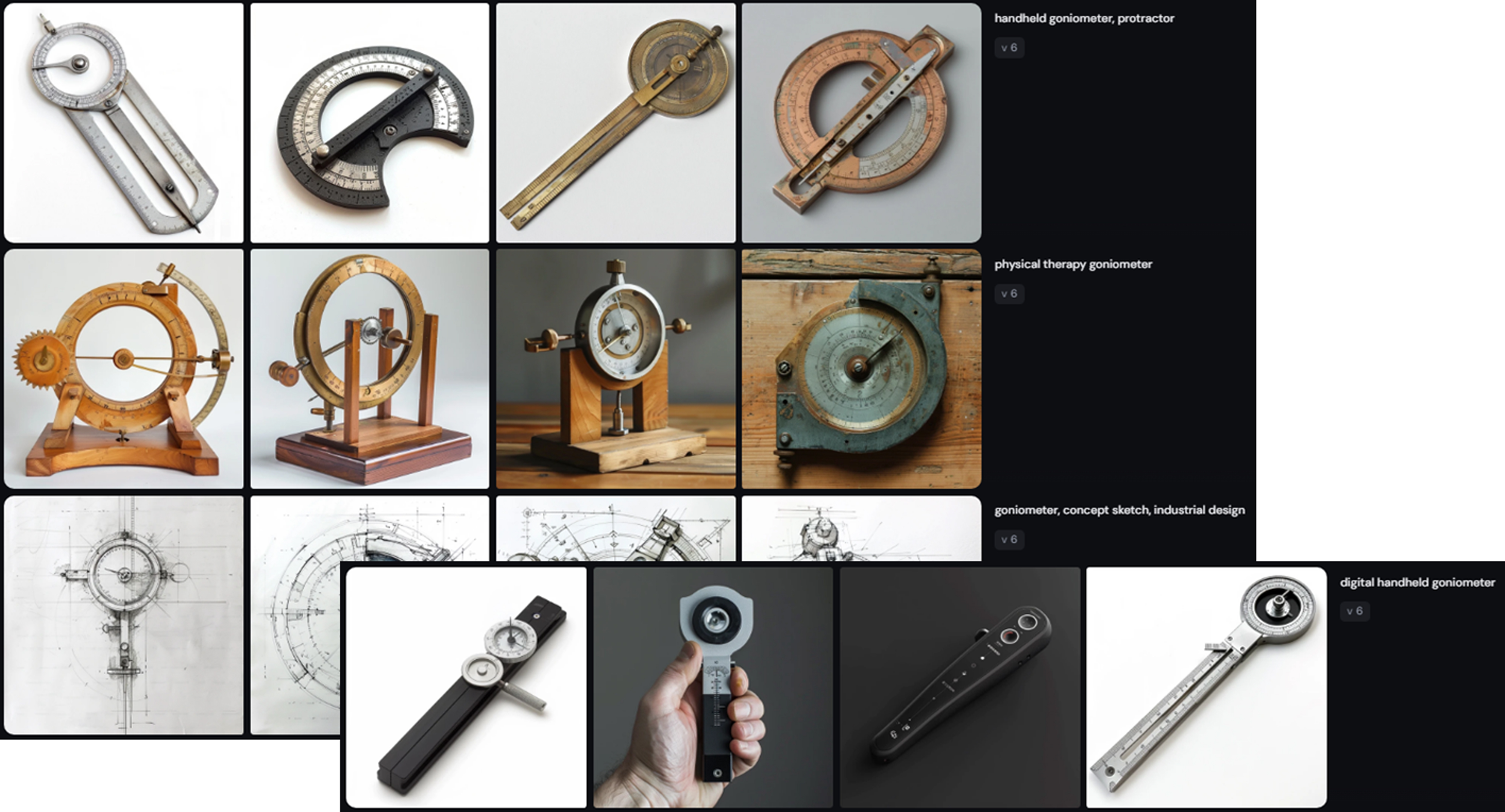
Figure 5: Early Midjourney AI exploration
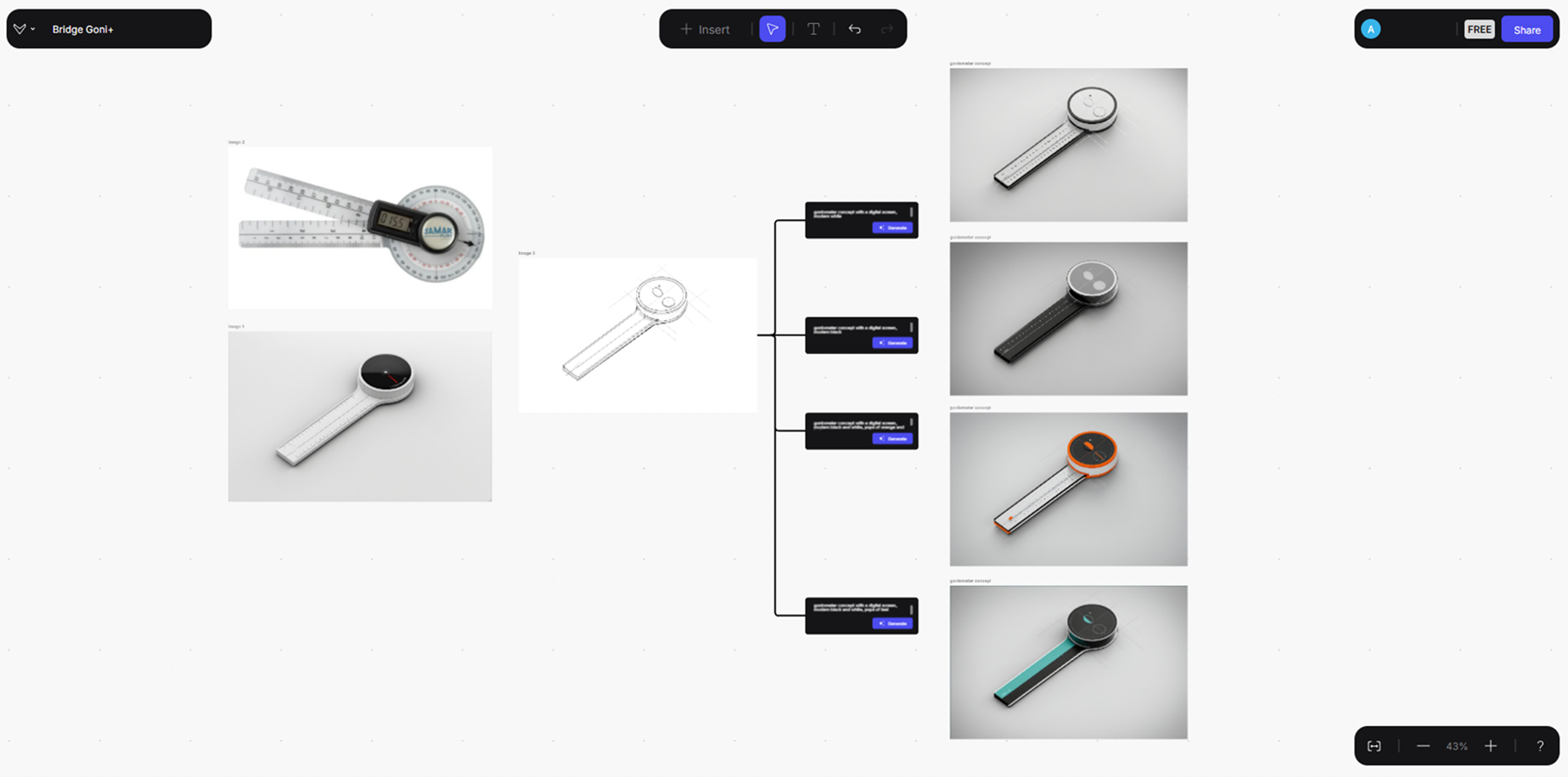
Figure 6: Vizcom AI concept refinement
Once a refined concept direction was in hand, generative AI’s post-production capabilities were put to the test. The designer input a rough black and white hand sketch [Figure 7], rendered it with Vizcom, and combined the AI-output with a traditional Keyshot rendering of the goniometer to produce an in-context render in record time [Figure 8]. They also rapidly produced a short animation to communicate basic functionality of the instrument’s arm by inputting two still Keyshot renderings into Luma.
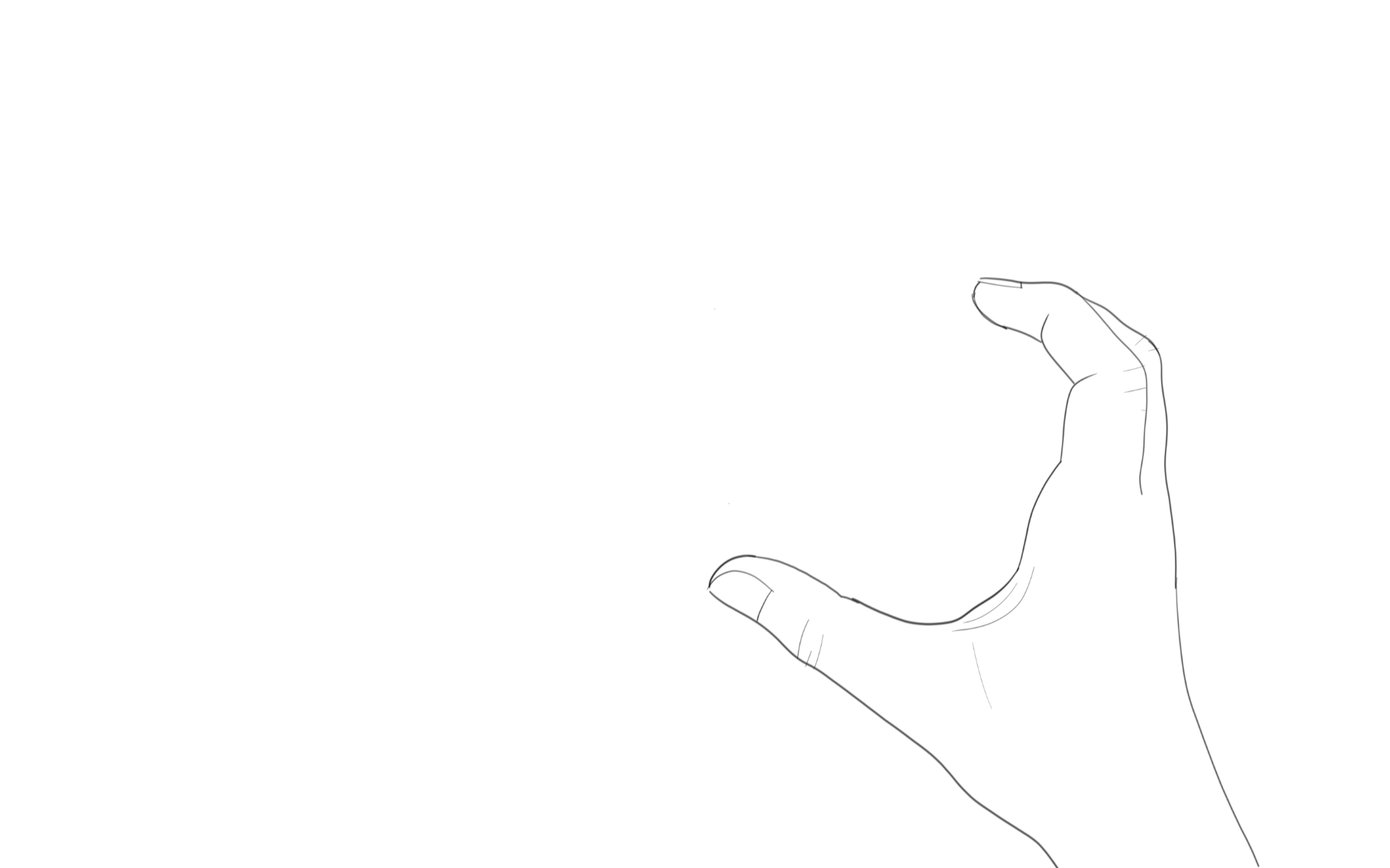
Figure 7: Input sketch drawn by hand
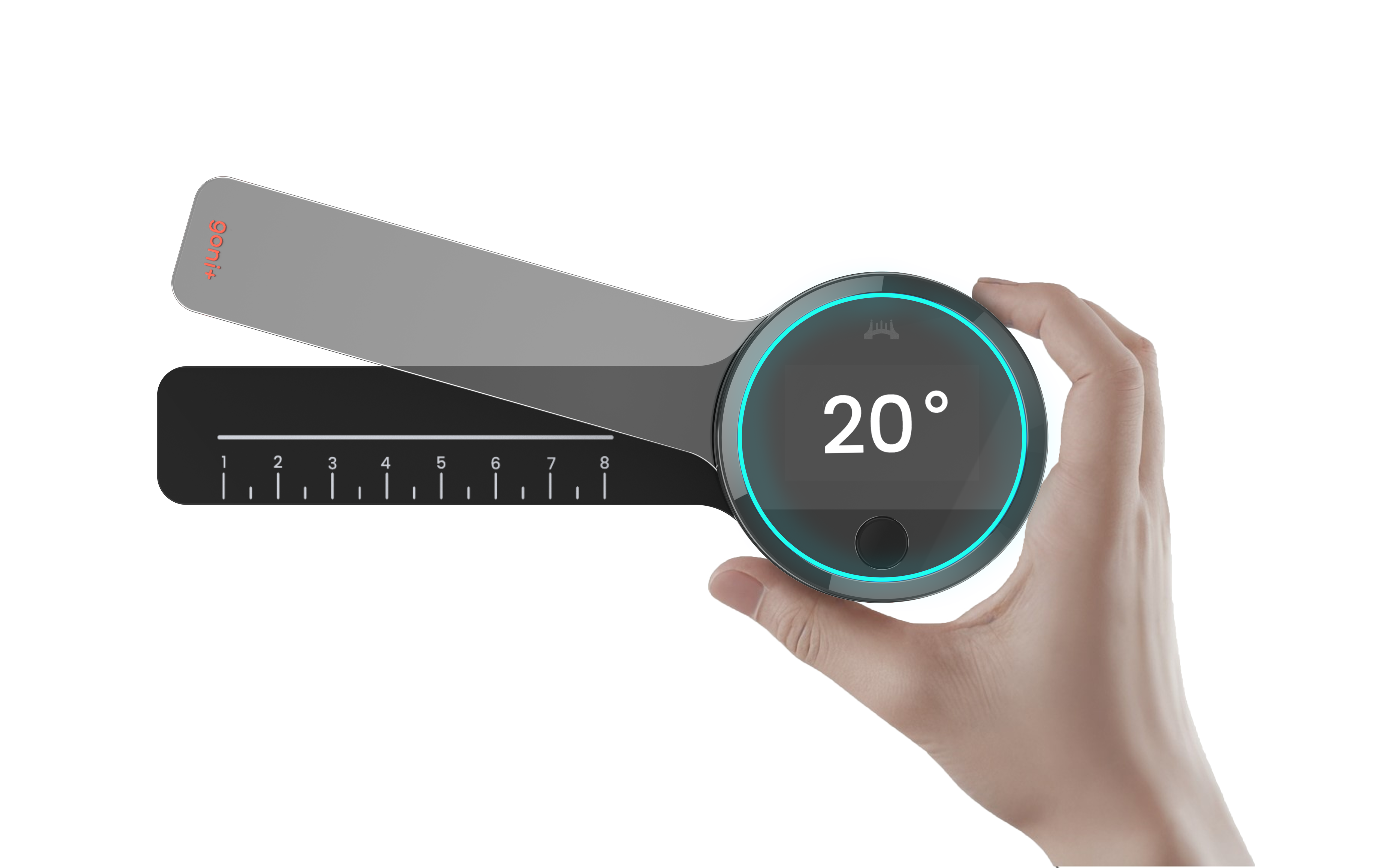
Figure 8: AI-supplemented work output
Preliminary Guidance Developed for Staff
While the ‘Bridge’ project showcased several of AI’s exciting use cases and capabilities, it also brought to light some precautions that were important to communicate to the rest of Key Tech staff. These guidelines are expected to evolve over time, but could be used as a starting point for others in product development and the service industry when diving into the world of AI:
Do:
- Experiment and collaborate. Designers should feel empowered to use image-generative AI in their work to spark ideas and enhance creativity. Iterate and experiment with prompts. Stay updated on new tools and techniques. Share outputs with peers for feedback and refinement.
- Check privacy settings. Most tools have dedicated privacy settings to control how data is used for training AI models. When possible, enable options like “Do not train on my data” or “Opt out of AI training” to prevent your data from being used to train future models.
- Review outputs with a critical eye. While most outputs appear visually pleasing at quick glance, AI makes mistakes and often includes impossibilities. Look for unnatural body proportions, extra fingers, blurry details, or incoherent words. Remember to maintain critical thinking in design processes and avoid overreliance.
Don’t:
- Input confidential information. Do not input sensitive or proprietary company or client data into online AI tools without prior discussion with IT or senior leadership. Inputting confidential information into any AI tool may violate client agreements.
- Use outputs in external content… unless approved by appropriate parties (in Key Tech’s case – the ID department). Outputs could infringe on copyrighted styles (try Google Lens if concerned). The general rule of thumb is to use AI-generated images as a starting point, not the final product.
- Ignore potential ethical concerns. Ensure generated outputs respect intellectual property and company values. AI may reflect biases in the datasets and reproduce stereotypes – again, review outputs with a critical eye. Also consider the environmental impact.
Conclusion
Key Tech Industrial Designers are familiar and versed with controlling AI to output usable solutions for design problems as a collaborator to the process. Internal evaluations have proven several tools to be valuable contributors during discovery, aesthetic development, and concept ideation phases. That said, we evaluate the use of AI on a case-by-case basis for two main reasons. First, we determine whether AI can be an efficient tool for the work we need to do. For example, while it may help expand more aesthetic aspects of Key Tech’s design process, it is less applicable in aiding usability work such as workflow refinement. Secondly, due to confidentiality considerations, cloud-based computing architectures of these tools, and the ever-changing internet security landscape, Key Tech relies on specific permissions from clients before leveraging AI in the concept development process.

Alli is a native of Milwaukee, WI and graduated from the University of Cincinnati with a BS in Industrial Design and a Minor and Business Certificate in French. Prior to Key Tech, she designed watches for Fossil Group in Dallas, TX. When not designing, she can be found listening to live music, making travel plans, or hanging out with her cat Disco.
- AI in Design Workflows: Exploration to Application - May 28, 2026
- AI as a Creative Design Partner - August 20, 2025
- Rx for Excellence: Leveraging Workflow Pain Points - May 28, 2024